Webinar Recap: How to Design College Assignments to Promote Critical Thinking & AI Literacy
Share this Article

Stop AI from doing the thinking for your students. Learn how to prevent cognitive surrender, why AI detectors fail, and how to make thinking visible with AI Integrated Assignments.
If you missed our recent live session, Preserving the Journey: Designing Assignments to Promote Critical Thinking and AI Literacy, you can watch the full on-demand recording here. The session tackled a question many faculty now face every week. If AI can produce a polished final product in seconds, how do we know a student did the thinking? Here are the ideas that resonated most, plus a first look at Teach the AI, the newest of Packback’s AI Integrated Assignments.
Why this conversation matters now
Generative AI use among students has become the norm. The HEPI Student Generative AI Survey 2026 found that 94% of students use it in some way to prepare assessed work, up from 53% in 2024. Students feel the tension too. In Packback’s 2026 GenAI Student Survey, 79% of students named over-reliance on AI and a loss of their own critical thinking as a concern.
Attendees showed they want to act on this. When we asked whether faculty should intentionally build AI competency into the curriculum, 88% said yes. A quarter of those respondents added that they don’t know how to do it yet. This webinar aimed to close that gap.
The Difference Between Cognitive Offloading, Cognitive Surrender, and Cognitive Vigilance
First, let’s untangle a few terms that often get used interchangeably.
Cognitive offloading means handing mental work to an outside resource and people have been doing this since the beginning of time. Things like using your phone to remember phone numbers or writing a simple to-do list are forms of cognitive offloading. Your phone’s address book and to-do list offload the work of remembering.
AI simply lets students offload far more complex work, like analysis and synthesis. For example, when a student uses AI to handle a simple task (like a grammar check) it can be a beneficial form of offloading that frees up working memory for complex reasoning.
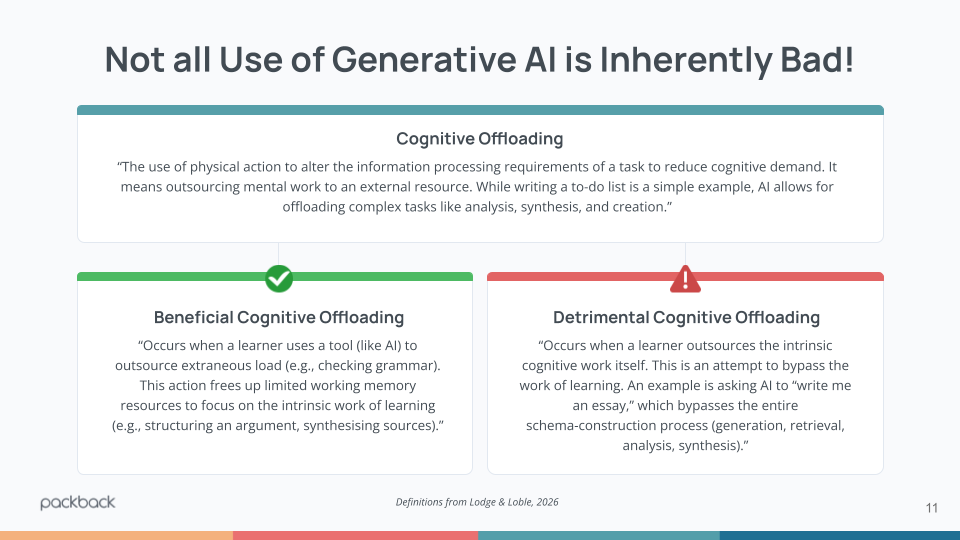
Researchers Lodge and Loble (2026) split offloading into two kinds:
- Beneficial offloading clears away extraneous load. A student who uses AI to check grammar frees up working memory for the real work of structuring an argument.
- Detrimental offloading hands over the learning itself. Asking AI to “write me an essay” skips every step that builds understanding.
The same action can land on either side depending on what the assignment teaches. That’s why clear expectations about acceptable AI use matter so much to students.
Cognitive surrender goes a step further. Shaw and Nave (2026) define it as accepting an AI’s response without critical evaluation and substituting it for your own reasoning. Offloading delegates a task. Surrender delegates judgment. Students face the greatest risk here because they’re still building the skills that help anyone resist it.
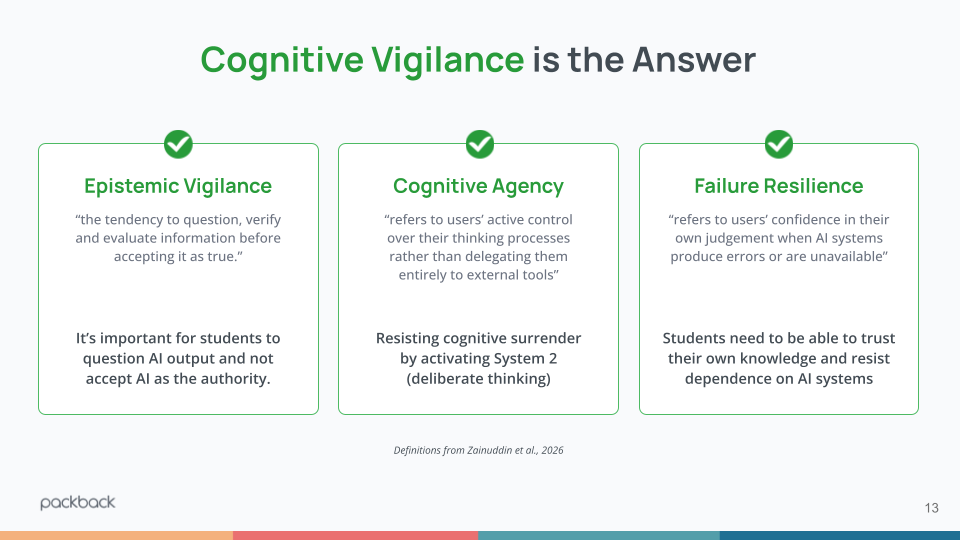
The antidote, according to Zainuddin et al. (2026), is cognitive vigilance. It has three parts:
- questioning and verifying information before accepting it,
- staying in control of your own thinking, and
- trusting your own judgment when AI gets something wrong.
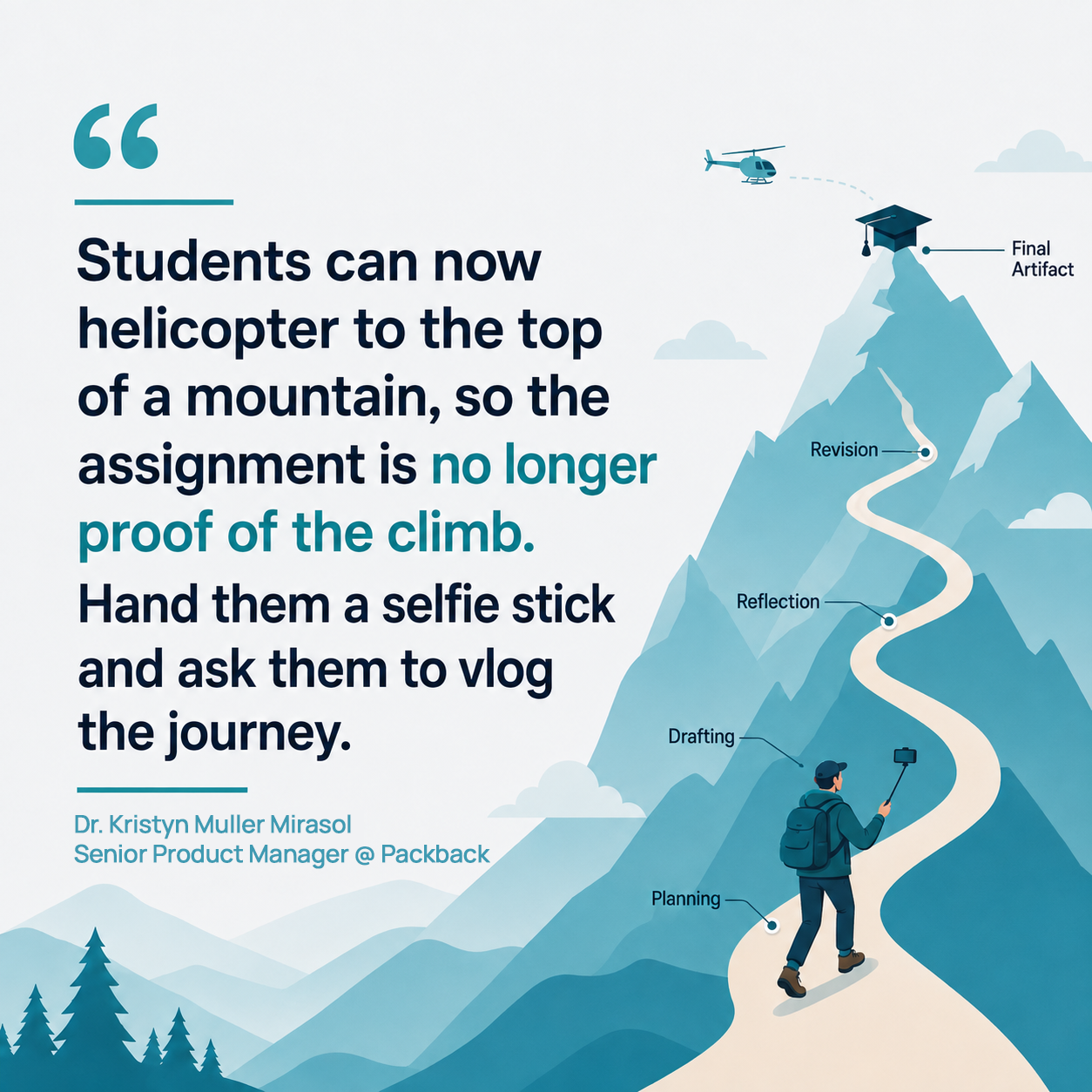
One of our speakers, Dr. Kristyn Muller Mirasol, Group Product Manager at Packback, used the metaphor of climbing a mountain to make the case for shifting focus from product to process. Learning happens in the climb. The planning, the drafts, the revisions, and the moments when students notice their own thinking all leave evidence that instructors can see and assess.
However, when a student outsources the complex work itself, it crosses into detrimental cognitive offloading. When a student accepts an AI system’s output without critical evaluation and substitutes it for their own reasoning, they experience cognitive surrender.
To prevent this, educators must build assignments that demand cognitive vigilance. Students need to stay in the driver’s seat of their own thinking, critically evaluating AI output rather than accepting it as an absolute authority.
Why AI Detection Tools Fail
For the past few years, the default response to generative AI has been post-submission detection. But trying to catch AI is a losing game.
A 2026 study by Van Vlasselaer, Van Droogenbroeck, and Spruyt tested three mainstream detectors on fully AI-written papers. The tools failed to flag 70 to 100 percent of the AI-generated text. As models improve, detection only gets harder. Tuning detectors to be more aggressive creates a different problem: more false positives and more students wrongly accused.
Meanwhile, most students aren’t trying to cheat. In Packback’s January 2026 student survey, 82% of students said they had never used generative AI to write a full assignment. The same survey found that a student’s fear of false accusation had no significant link to how much AI they actually used. Students who never touch AI feel the same suspicion-driven stress as heavy users.
“I’m always worried I’ll be accused of using AI,
especially when I don’t use it for my assignments.”
Packback does include AI writing detection, and the team deliberately calibrated it for a low false positive rate. Packback would rather miss a case of AI use than accuse a student who did their own work. Students also see the same originality reports as their instructors before they submit, so nothing comes as a surprise.
Still, even a perfect detector wouldn’t teach students how to work well with AI. That takes assignment design.
Introducing Teach the AI: The Student Becomes the Teacher
If we want students to practice epistemic vigilance and cognitive agency, we have to design assignments where they are actively managing the AI, not the other way around.
To support this, Packback has launched a brand new AI Integrated Assignment called Teach the AI.
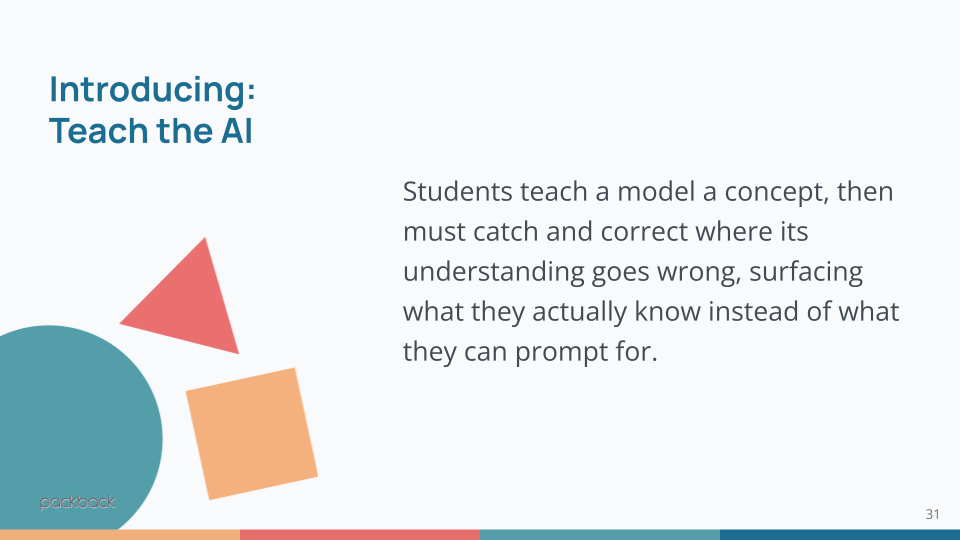
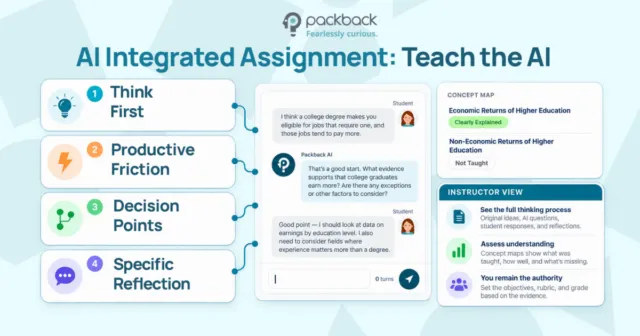
Instead of treating AI as the omniscient answer key, this assignment positions the AI as the student, and the human student as the educator.
Here’s how it works:
- The instructor sets the target. They choose a topic, add two to four learning objectives, and optionally include key terms or source material. Packback then generates a concept map of the ideas a student should be able to teach.
- The student plans, then teaches. Students organize their notes on a planning page and start teaching. The AI responds like a curious learner. It asks follow-up questions and nudges the student back on track without handing over answers.
- The student checks their progress. At any point, students can open Review Your Work to see each concept marked as not yet taught, partially explained, or clearly explained, with supporting quotes from their own conversation.
- The instructor makes the call. The grading view shows the full transcript, planning notes, examples, and the student’s reflection. A default rubric covers planning, explanation quality, and concept mastery, and instructors can add their own categories.
Because students have to catch and correct the AI’s misunderstandings, the assignment surfaces what they actually know rather than what they can prompt for. Instructors receive full visibility into the transcript, the student’s planning notes, and a clear view of which concepts were successfully taught. It forces the student to surface what they actually know, rather than what they can prompt a chatbot to produce. AI doesn’t grade for you. It informs the instructor’s grading.
And don’t worry – Packback never uses student work to train AI models.
Teach the AI also works well as one step in a larger sequence. An instructor might scaffold a single topic across four assignments: a Discussion to spark inquiry, Teach the AI to test understanding, a Deep Dive Writing Project to go further in writing, and Peer Review to refine the final submission. Each pass gives students another chance to apply what they know and gives instructors another window into their thinking.
This approach reflects how Packback thinks about Learning Intelligence: designing every assignment so that student thinking happens, and so that instructors can see it.
Ready to rethink your assignment design?
Recent Articles
-
What Good AI Assignment Design Looks Like, and Why We Built Teach the AI First
-
Meet the AI Panic With Pedagogy, Not Policing and Why AI Detection Won’t Fix Academic Integrity
-
A Student Told Me They Were Ethically Opposed to AI. Here’s What I Wrote Back.
-
Make Student Thinking Visible in an AI World (Webinar Recap)